- Tow things, have to make a backup for
- Database
- Fiels ( publick & private )
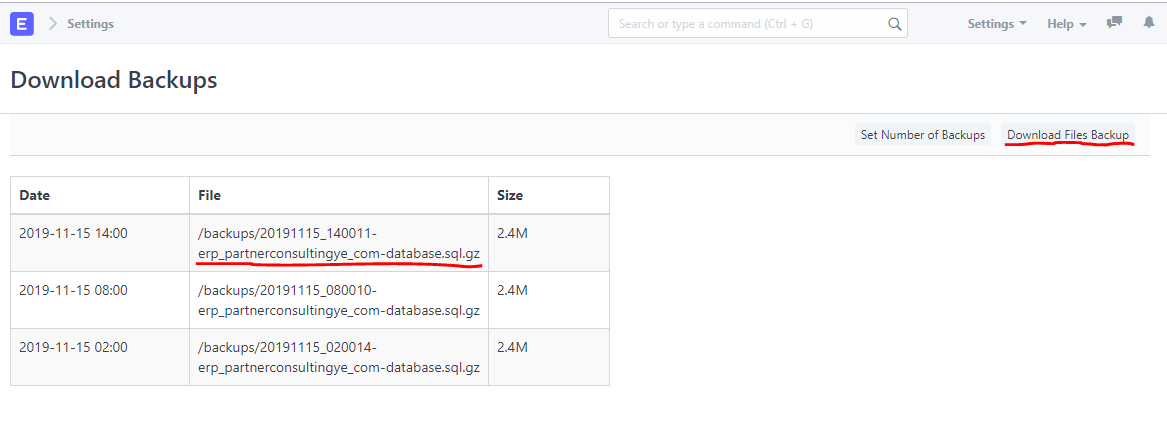
- From Setting then Download Backups
- Click in url - to download database
- click on Download Files Backup - to download files - you will see "Queued for backup. You will receive an email with the download link" message.
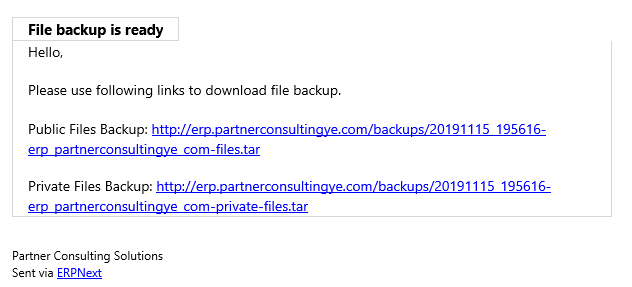
- You will receive email File Backup is ready, click in urls to download them.

Ahmed Alkuhlani
Ahmed Alkuhlani
1 comment
Could you please write a tutorial for restore.